
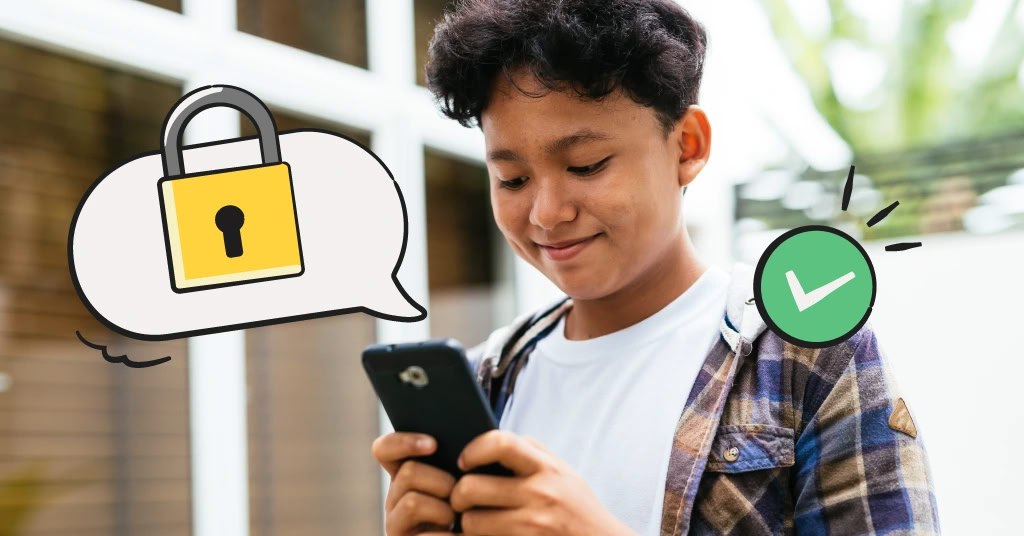
When it comes to child phone control, the main challenge is not only managing screen time, but also preventing the installation of apps and games that may be inappropriate for a child’s age or lead to psychological, behavioral, or security risks. Today, families are looking for practical, tested, and reliable solutions that allow them to manage their child’s smartphone without creating tension, while still preserving the child’s healthy sense of independence.
Why Is Limiting App Installation Essential for Child Phone Control?
1. Preventing exposure to inappropriate content
Many games and apps, even those that appear harmless, contain behavioral triggers, in-app purchases, or algorithms designed to encourage prolonged use. As a result, child phone control without restricting app installation is essentially incomplete.
2. Protecting privacy and personal data
Apps installed from unknown sources may gain access to contacts, photos, or even a child’s location. Children usually do not understand the concept of digital privacy, so parents must take the lead in creating protective security layers.
3. Reducing digital addiction
Some games are intentionally designed to be addictive. Managing which apps can be installed helps families promote healthier digital habits. This is one of the core pillars of effective child phone control.
Professional and Practical Methods to Restrict App Installation on a Child’s Phone
1. Enabling parental controls in Google Play or the App Store
Parental control features in app stores are more than basic limitations. They categorize content based on age and prevent the installation of higher age-rated apps without a password. Even if a child has a direct download link, parental approval is still required.
Key benefits of this method:
- Setting age ratings for different types of content
- Preventing sudden or impulsive installations
- Blocking changes to settings without a password
Using Specialized Parental Control Tools
Smart, localized tools like the Pinardin app, designed for next-generation digital supervision, allow parents to define app installation rules, schedule usage time, receive activity reports, and even analyze a child’s digital behavior. Such tools provide a much more precise approach to child phone control compared to basic methods.
Why are these tools effective?
- 100% prevention of unauthorized app installation
- Ability to track usage behavior
- Full compatibility with the operating system and browser
- Automatic blocking of new apps before they run
These tools play a key role in a comprehensive child phone control strategy and reduce the need for constant manual supervision.
Creating a Child Account and System-Level Access Restrictions
One more advanced solution is setting up the child’s phone with a dedicated Child Account. This approach structurally limits access and permissions at the system level.
Advantages of this method:
- Restricting installations from unknown sources
- Preventing tampering with security settings
- Controlling app permissions, notifications, and downloads
- Creating a safe environment without constant monitoring
Blocking Installation from Unknown Sources
A large portion of inappropriate apps are downloaded outside official app stores. By disabling installation from unknown sources, even if a child downloads an installation file, it cannot be executed.
Why this matters:
- Preventing malware and spyware
- Stopping children from bypassing parental restrictions
- Blocking cracked or unsafe games
Setting a Secondary Password or Local Installation Lock
Adding a password to the app installation section creates a strong barrier for child phone control. In this case, any attempt to install apps or change installation settings requires entering a password. This method helps families who want more precise and intelligent control manage their child’s phone use with greater peace of mind.
How to Apply These Restrictions Without Creating Conflict
1. Transparent communication
Explaining that the goal is not limiting freedom but creating a safe environment reduces resistance.
2. Involving the child
When children know they can install apps within agreed rules and with parental approval, they experience a healthy, guided sense of freedom.
3. Setting consistent and stable rules
Consistency builds trust. Frequently changing rules can confuse children and lead to اعتراض and resistance.
Common Parental Mistakes When Restricting App Installation
1. Completely blocking the phone
This is unnecessary and often leads to strong resistance. The goal of child phone control is structure and balance, not total prohibition.
2. Using too many control tools
Multiple monitoring apps can conflict with each other and disrupt the phone’s performance. One professional tool is usually enough.
3. Ignoring updates
Keeping control tools up to date improves security and closes loopholes children might use to bypass restrictions.
Conclusion: Limiting App Installation Is the Core of Child Phone Control
In a world where technology is advancing rapidly, child phone control is no longer optional—it is a serious necessity for the psychological, behavioral, and informational security of families. Tools like the Pinardin app, with features that restrict app and game installation, create a safe digital space where children can use their phones for learning, communication, and healthy entertainment—without being exposed to the hidden dangers of the digital world.