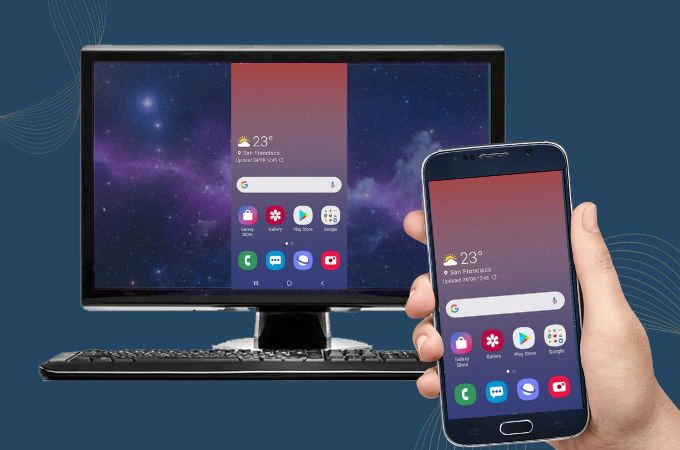

Managing the digital lives of Kids Using Multiple Devices is no longer possible through simple rules like turning off the Wi‑Fi at night or temporarily taking away a phone. When a child simultaneously has access to a tablet for games, a smartphone for messaging, and a laptop for school assignments, parents are dealing with a full digital ecosystem, not just a single device. In this article, we explore advanced and practical strategies that help parents effectively supervise and guide children who interact with several digital devices every day.
The Fragmentation Problem: Why Traditional Controls Fail
Many parents assume that restricting a smartphone is enough. However, Kids Using Multiple Devices often switch between screens when one device becomes unavailable. This behavior, commonly referred to as screen swapping, allows children to bypass single‑device restrictions easily.
Another challenge is that usage data is usually stored separately on each device. As a result, parents rarely see the complete picture of how much time their child actually spends online. Instead of focusing on controlling each device individually, a more effective approach is centralized supervision monitoring the child’s overall activity rather than the hardware itself.
Strategy One: Implement a Unified Digital Identity
A critical first step in managing Kids Using Multiple Devices is creating a single connected digital identity for the child. Instead of allowing separate accounts on each device, parents should use integrated family systems such as Google Family Link or Apple Family Sharing.
This creates a shared management structure across all devices. The deeper layer of this strategy involves using tools that apply restrictions based on the child’s profile, not the device’s MAC address. For example, if a child has a two‑hour daily screen limit, that limit applies across every device they use. Once the limit is reached on a phone, access on the tablet or laptop will also be restricted.
Strategy Two: Network‑Level Filtering and Secure DNS
Parents raising Kids Using Multiple Devices should not rely only on app‑level restrictions. One of the most effective technical strategies is configuring the home router to use protected DNS services such as CleanBrowsing or AdGuard DNS.
By doing this, harmful websites, inappropriate content, and malicious domains are filtered before they even reach the devices connected to the home network. Regardless of whether the child uses a phone, tablet, smart TV, or gaming console, the same protective layer remains active. This is particularly important for devices that cannot run parental‑control apps.
Pinardin: A Centralized Control Solution
Among available tools, the Pinardin parental control application stands out as a powerful solution specifically suited for families managing Kids Using Multiple Devices. Instead of focusing only on strict blocking, Pinardin emphasizes clear visibility and smart management.
Key capabilities include:
• Unified Dashboard: Parents can monitor the status and activity of all their child’s devices from a single panel.
• App‑level control: Educational apps may remain accessible on a tablet while social media apps on a phone can be limited or blocked.
• Detailed usage analytics: Pinardin provides reports showing which platforms consume the most time, helping parents identify both interests and potential risks.
This centralized insight allows parents to move beyond guesswork and make informed decisions about digital boundaries.
Strategy Three: Hybrid Device Scheduling
When managing Kids Using Multiple Devices, applying the same schedule to every device rarely works. A smarter approach is to define purpose‑based time windows.
For example:
• Tablet: available from 4 PM to 6 PM for games and interactive learning.
• Laptop: available from 6 PM to 8 PM for school assignments and educational platforms.
• Phone: primarily for communication, but automatically locked after 9 PM.
This structured approach helps children understand that each device serves a specific purpose instead of becoming an endless source of passive scrolling.
Psychological Safety: Avoid Becoming the “Digital Police”
One of the most overlooked aspects of supervising Kids Using Multiple Devices is the psychological impact. Children today face information overload, and excessive monitoring without explanation can create resistance and encourage them to bypass restrictions.
A healthier strategy is to present tools like Pinardin as safety systems rather than punishment mechanisms. Explaining that these tools help protect focus, sleep quality, and emotional well‑being makes children more cooperative and aware of their own digital habits.
Reading the Hidden Signals in Usage Data
Smart parents do more than check screen time totals they analyze behavior patterns. With Kids Using Multiple Devices, a common warning sign appears when a child instantly switches to another device as soon as one becomes restricted.
This pattern may indicate early signs of digital dependency or avoidance behavior. Analytical tools such as Pinardin provide detailed activity charts that help parents detect these patterns early and intervene before they develop into serious problems.
Parental Control Strategies for Kids Using Multiple Devices
Effectively managing Kids Using Multiple Devices requires a balanced combination of technology, digital literacy, and thoughtful parenting strategies. Network‑level protections, unified account management, and intelligent monitoring tools like Pinardin can create a safer and more structured digital environment.
the goal of parental control is not simply blocking access. The real objective is teaching children self‑regulation and responsible technology use so they can grow up navigating an increasingly connected world with awareness, discipline, and balance.